Why doesn’t Monday/Wednesday/Friday mean every other day?
Three weekday checkboxes leave a three-day gap from Friday to Monday. Adding Sunday fixes that gap but creates back-to-back alarms on Sunday and Monday. A true alternate-day pattern moves through the week instead of repeating the same weekdays.
For example, a cycle starting October 1, 2026 rings on October 1, 3, 5, 7, and 9. The weekdays change, but the spacing stays at two calendar days.
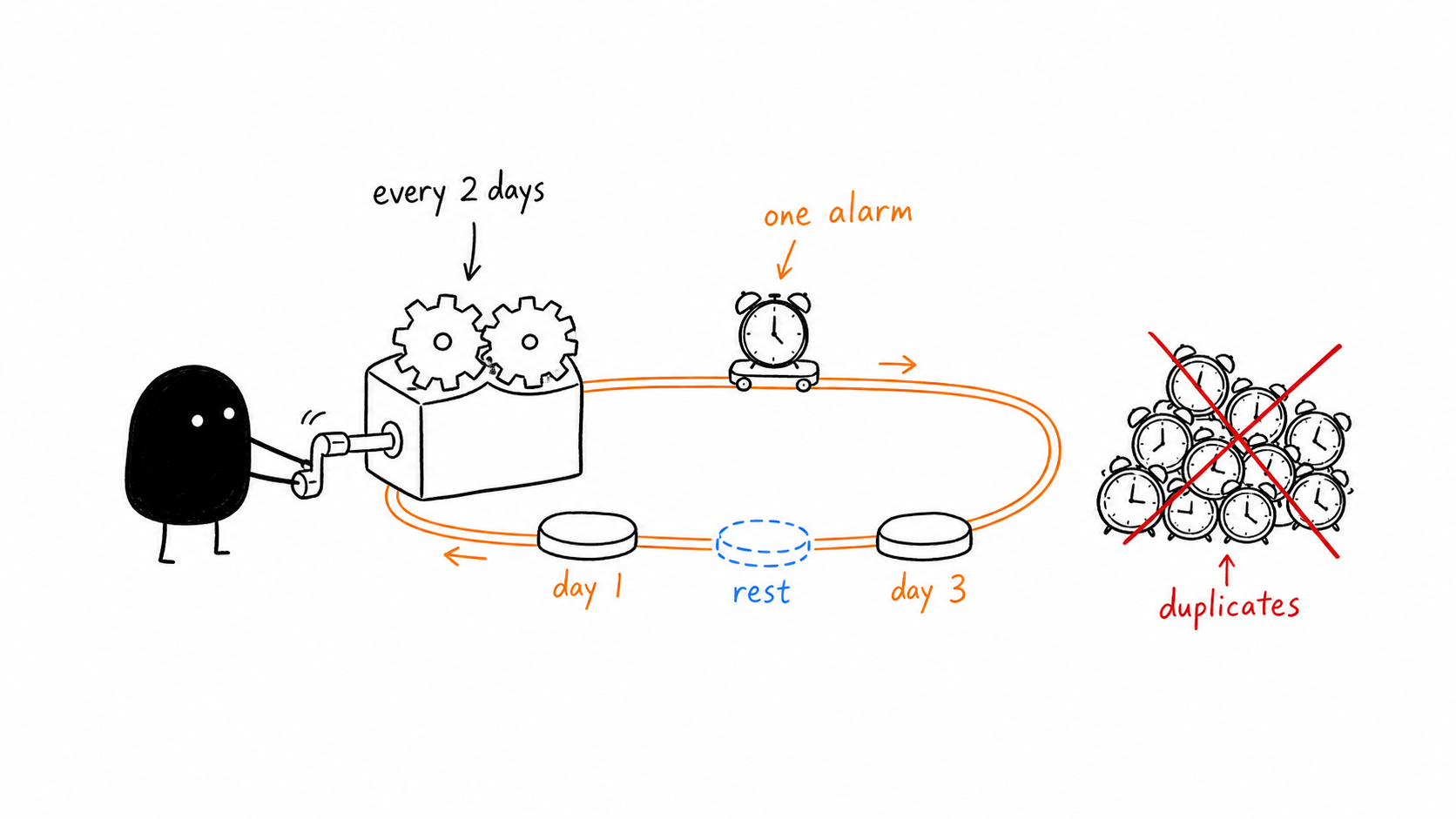
How do you set a two-day alarm cycle in Alarm One?
Choose the alarm time
Create an alarm at the wake-up or task time you want.
Select Workday → Rotation
Enter the first day you want the alarm to ring as the start date.
Set 1 work day and 1 rest day
The alarm rings on the work day, stays silent on the rest day, and repeats.
Review the upcoming dates
Check several occurrences, including the start of the following week.
The work/rest labels describe which days ring. You can use this pattern for alternating work days, study sessions, or household tasks. For longer cycles, see the rotating shift alarm guide.
What can you do with the built-in iPhone apps?
Clock is useful when the same weekdays repeat every week. For alternating dates, Calendar can track a recurring event with a custom interval where available; check its occurrence dates and add an alert. Those are event notifications, so confirm their delivery settings.
For a few isolated dates, enter separate future-date alarms instead of building a cycle. When the pattern continues for months, a repeating rotation makes the next dates easier to review.
How do you handle a skipped day or a changed start date?
If you skip a single occurrence, keep the original cycle anchor. Moving the start date shifts all subsequent alarm days. Use the skip control for a temporary exception, and edit the start date only when the intended pattern itself changes.
“Every other day” generally means every second calendar day at a chosen local time. That differs from exactly 48 elapsed hours when daylight saving time changes. Decide which behavior your schedule calls for.
Source: Apple: weekday alarm repeats.
What else should you know?
Can Clock repeat an alarm every two days?
The regular Clock editor repeats selected weekdays. An alternate-day cycle crosses weekdays, so use a rotation or schedule individual future dates.
What values should I enter in Alarm One?
Choose Rotation, set the first alarm date, and use 1 work day plus 1 rest day. Review the upcoming dates to confirm the pattern.
Does skipping an occurrence restart the cycle?
A temporary skip should keep the cycle anchor. Change the start date only when you want to change which dates belong to the pattern.